Camera Angles & Photography One-Line AI Commands
In today’s world, AI (Artificial Intelligence) serves as an excellent tool for creating content, solving digital problems, analyzing data, and generating videos or images through prompts. When working with tools like ChatGPT, Gemini, and other AI platforms, using the right prompts is essential. Here, we are providing excellent prompts and commands that you can use to edit and recreate your images just with one line AI command.
AiPromptGen (aipromptgen.in) Ai Prompt Generator helps you discover ready-to-use AI prompts. Find a prompt that suits your needs, copy it, paste it into ChatGPT or Gemini, and make adjustments based on your requirements to get better results.
Here we have given Camera Angles and Photography One-Line AI commands, in different different poses, angles, and lighting. You can use these commands to create stunning images for your special photography. Simply copy and paste your preferred commands into your AI image-generation tool. For personalized results, upload your reference image for facial reference to generate accurate result.
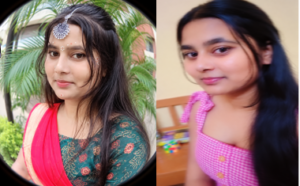
Camera Angles One-Line AI Commands
| Command | Editing effect |
|---|---|
/lowangle |
Dramatic low-angle photography |
/highangle |
Top-Down high-angle Portrait |
/birdseye |
Bird’s eye view |
/wormseye |
Extreme ground-level perspective |
/closeup |
Detailed close-up portrait |
/macro |
Extreme macro photography |
/wideangle |
Wide-angle photography |
/ultrawide |
Ultra-wide perspective |
/panorama |
Panoramic landscape composition |
/portraitlens |
Professional Portrait lens effect |
/telephoto |
Compressed telephoto perspective |
/tiltshift |
Miniature tile-shift effect |
/motionblur |
Dynamic motion blur effect |
/longexposure |
Long-exposure photography |
/boken |
Beautiful blurred background |
/shallowfocus |
Shallow depth of field |
/candid |
Natural candid photography |
/paparazzi |
Celebrity paparazzi photography |
/flashphoto |
Direct-camera flash effect |
/fisheyecloseup |
Closeup-up fisheye distortion |
Conclusion;
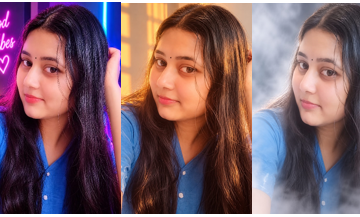
Here, we have provided the Camera Angles and Photography AI commands . You can use these Commands to create images and make the most of your special photography. Simply copy and paste your preferred prompt into your AI image-generation tool. For personalized results, upload your reference image for facial reference and you can also uploaded original image for accurate reference.


0 Comments